Skip to content

TUZO QuickBook

TUZO QuickBook: fill your free lesson times

Post a free lesson time and let the right learners know. The first learner to take it books it, and the lesson goes straight into your diary.

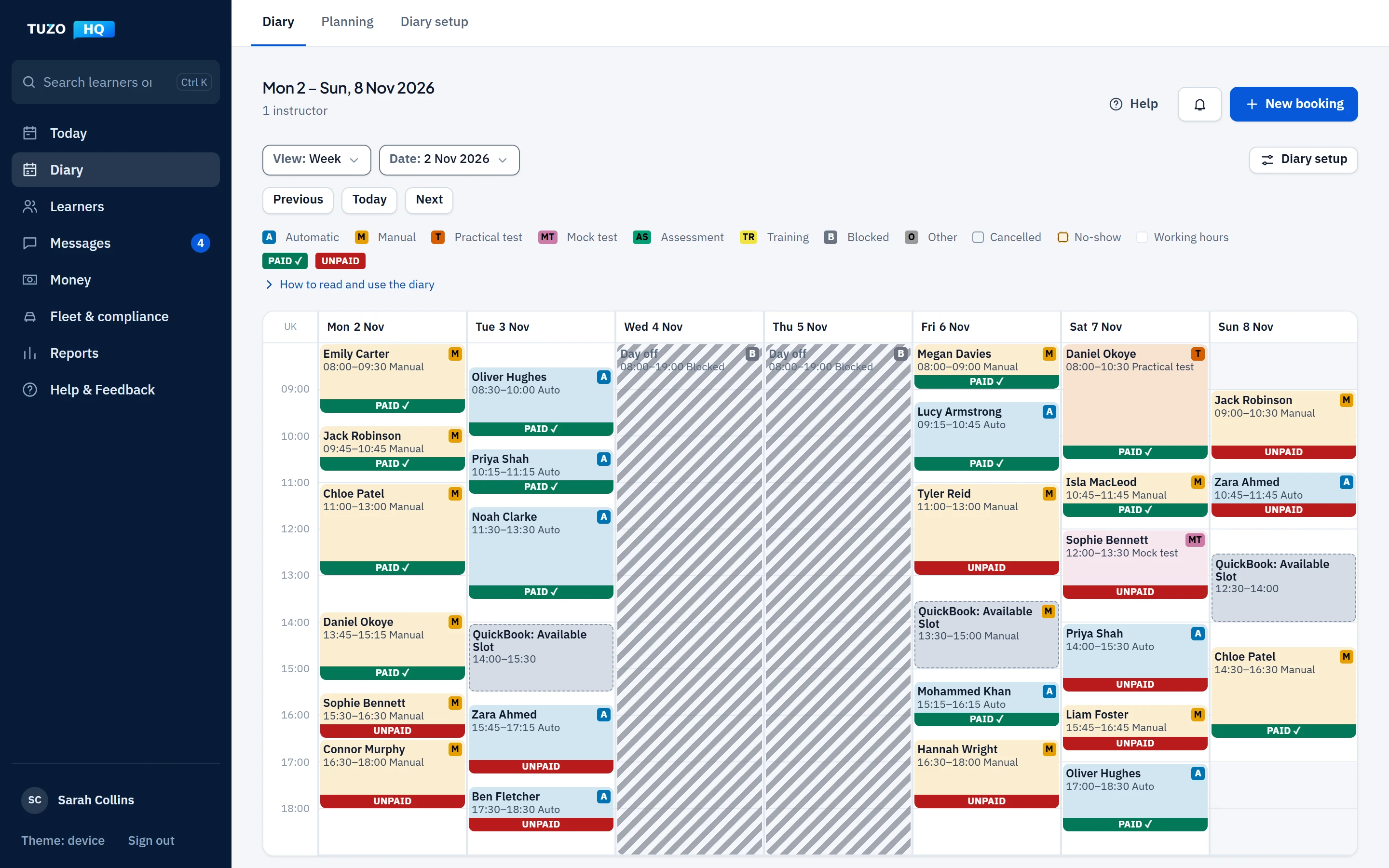
The TUZO HQ diary for one instructor’s week with three grey QuickBook: Available Slot blocks beside booked lessons, marked paid or unpaid.
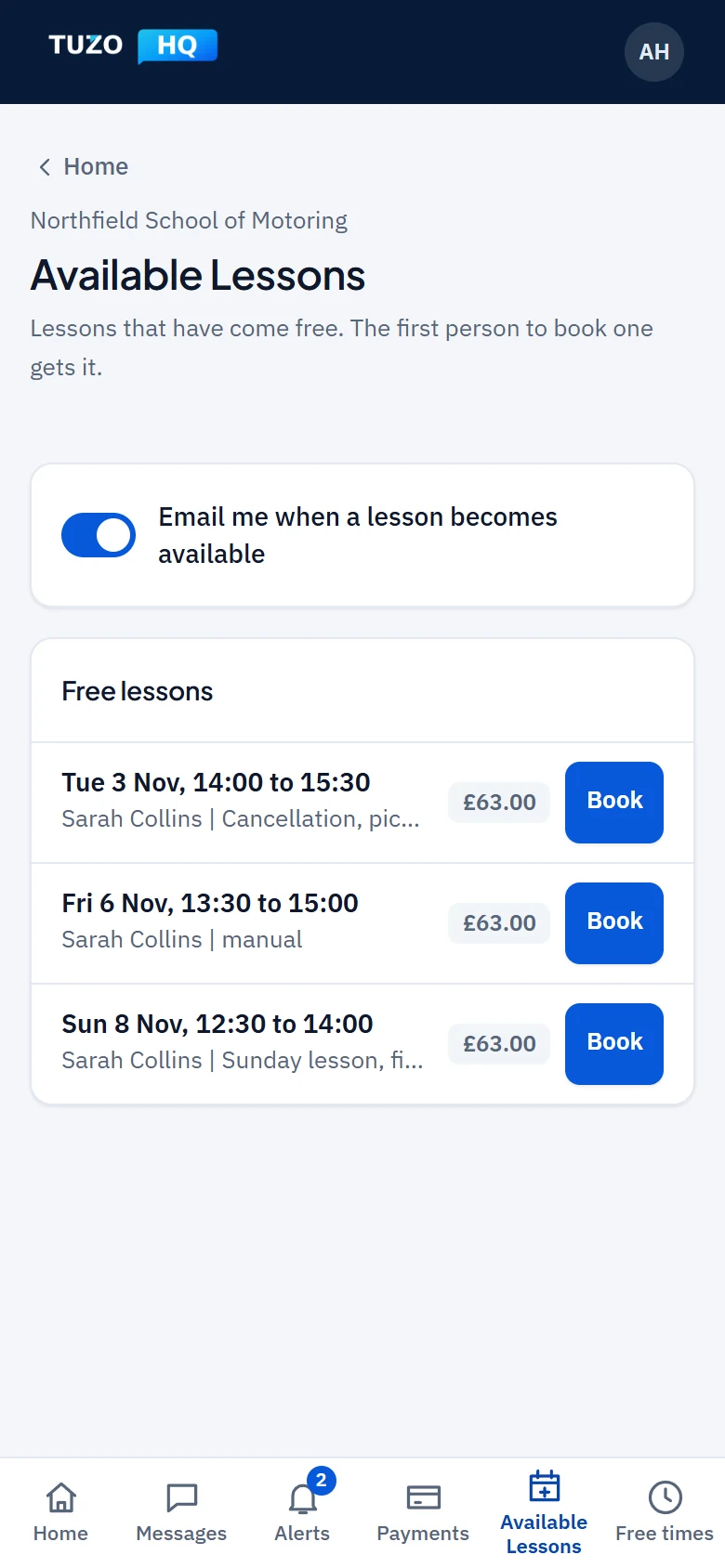
A learner’s Available Lessons screen on a phone, listing free lesson times with the day, time, instructor, gearbox, note and price.

How it works

  1. Post the time

    Choose the day, the start time and the length: 30, 45, 60, 90, 120 or 180 minutes. Add a note if it helps.

  2. Choose who sees it

    Show it to all your learners, to your waiting list or to learners you choose. You can also limit it to learners within a number of miles of a postcode, and to manual or automatic.

  3. Learners are told

    Eligible learners who have opted in are emailed when you post it. TUZO QuickBook sends email only: no text messages and no push notifications.

  4. First to book gets it

    Learners see it under Available Lessons in their own app and take it first come, first served. The booking goes straight into your diary.

Both sides of the booking

These are real screens from TUZO HQ, filled with demo data.

For the instructor

Post a time and see what is open

The TUZO QuickBook page shows the slot you are posting and the open slots you have listed. Open slots also appear in your diary week as grey “QuickBook: Available Slot” blocks, beside your lessons.

  • Choose the length, the learners who see it, and any distance or gearbox limit
  • See every open slot in one list
  • Open a slot in the diary to edit it, withdraw it or book a learner into it
  • Open slots show in the diary as grey blocks
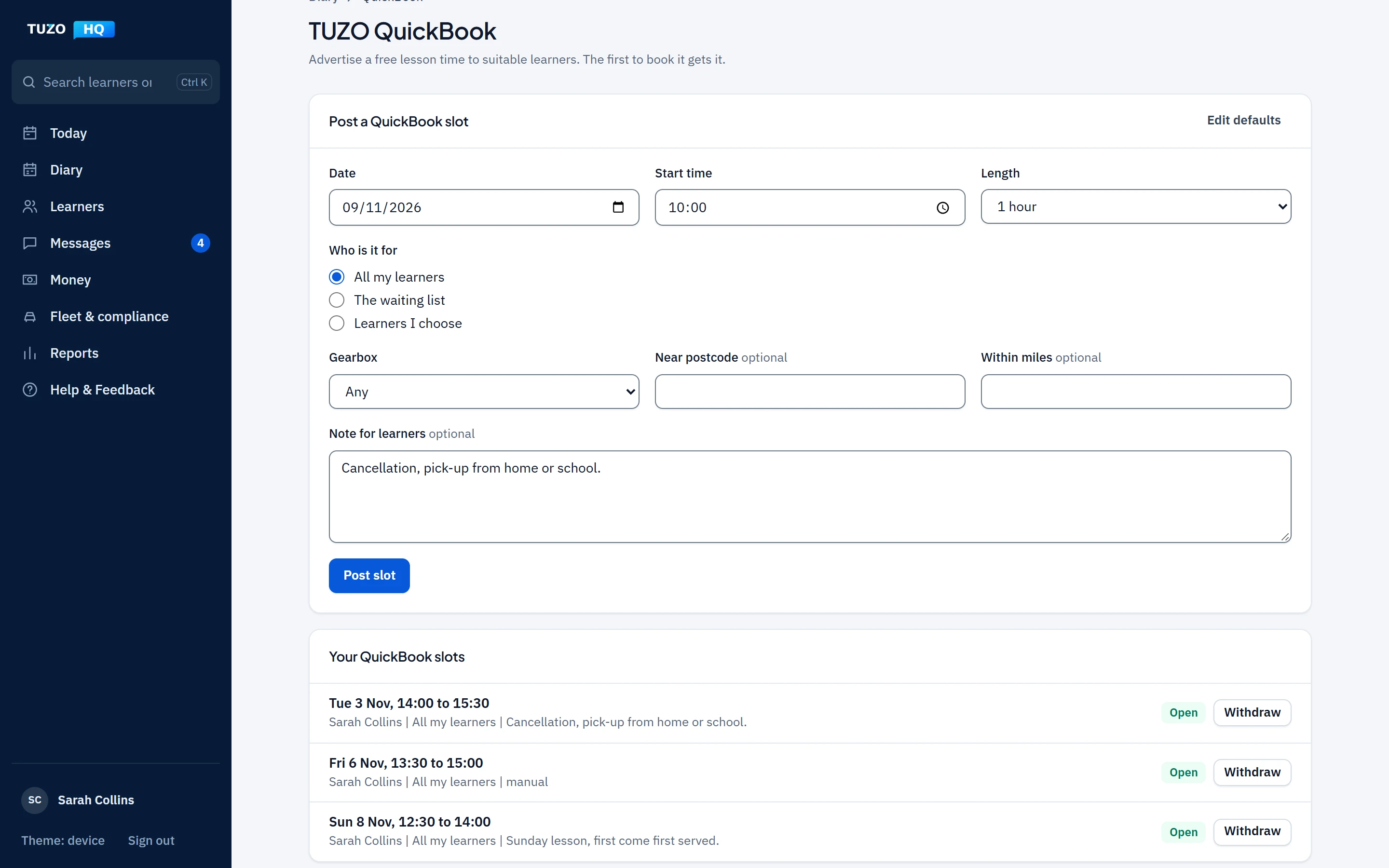
The instructor’s TUZO QuickBook page in TUZO HQ, with a free lesson slot being posted and the open slots listed below it.

For the learner

Available Lessons in the learner’s own app

Learners see the open lessons meant for them, each with the day, time, instructor, gearbox, note and price, and take the one that suits them.

  • A time limited to manual or automatic is matched to the learner’s gearbox
  • A learner who already has a lesson at that time cannot take it
  • Two learners can never both get the same time
A learner’s Available Lessons screen on a phone, listing free lesson times with the day, time, instructor, gearbox, note and price.

Good to know

What it does today

  • Posts free times of 30, 45, 60, 90, 120 or 180 minutes
  • Shows them to all your learners, your waiting list or chosen learners
  • Limits them by distance in miles from a postcode, and by gearbox
  • Emails eligible learners who have opted in
  • Puts the booking straight into the diary
  • Lets you withdraw an open slot
  • Learners are told by email only, and only if they have opted in.
  • Where your school takes online payments and the lesson is not covered by prepaid hours, the learner pays online to secure it. The time is held for 15 minutes and offered again if it is not paid.
  • Online payment by learners is being set up with payment providers and is not available yet.

Which packages include it

TUZO QuickBook is included in every package, from Starter. There is nothing extra to pay for it.

  • StarterIncluded
  • ProfessionalIncluded
  • Driving SchoolIncluded

Questions about TUZO QuickBook

Who sees a free lesson time I post?

You choose: all your learners, your waiting list or learners you pick. You can also limit a time to learners within a number of miles of a postcode, and to manual or automatic.

How are learners told?

Eligible learners who have opted in are emailed when you post a time. They can also see it under Available Lessons in their own app. There are no text messages or push notifications.

What if two learners try to take the same time?

Only one can get it. Times are first come, first served, and where a learner has to pay online the time is held for them for 15 minutes and offered again if it is not paid.

Do learners pay online?

Where your school takes online payments and the lesson is not covered by prepaid hours, yes. Online payment by learners is being set up with payment providers and is not available yet.

Can I take a time back?

Yes. You can withdraw an open slot.

Does it cost extra?

No. TUZO QuickBook is included in every package, from Starter.

  • One Inbox

    Learner and parent messages in one place.

    About One Inbox
  • Pricing

    Starter, Professional and Driving School, each with a free trial.

    See pricing

Fill your free lesson times

Try TUZO QuickBook free, with everything else in TUZO HQ.